




Intake Form
Intake Form
Intake Form
Intake Form
Intake Form

Hierarchy of Pages


First Level - Brand Page

Will be created by the IT team as part of the site setup.

Templates used: BuildEasy Brand Template


Second Level - Locale Page

Can only be created/updated by admins. All sites created within a Brand Page will start with a Locale Page that acts as the parent page of a site. Global properties of the site, such as Header/Footer, Navigation Menus, Search, Gigya Configurations, Site Branding (color, font, etc.), etc., will live within the Locale Page.


Additionally, the following website pages will live under the Locale Page:

-Any page that includes search results

-Any page that includes a popup


Templates used: BuildEasy Locale Template, BuildEasy Search Template, BuildEasy Modal Template


Third Level - General Page

This template will be used to create most consumer-facing pages of the website and will contain most of the components used when building. General pages should be created within their brand-specific Locale Page.


Templates used: BuildEasy General Template
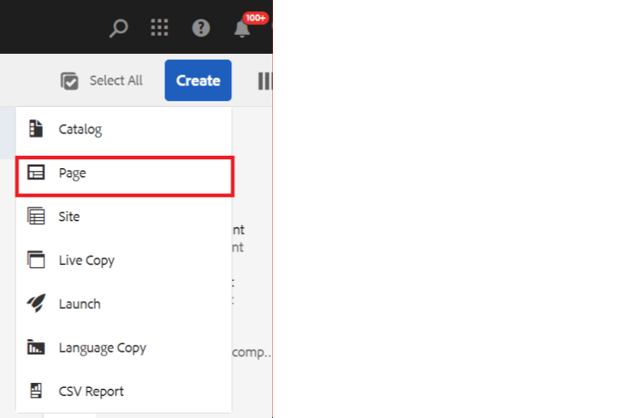
Steps to Create a Page

Step 1: Click on the Create button on author URL where you want to create your page and select page from dropdown. Please note: Not all users will have access to all templates. 

Step 2: Select the template that you want to use from the list and click on next. Note: Not all users will have access to all templates.

There are 5 templates to choose from while creating site pages:


First Level Template

BuildEasy Brand Template: This template will be used by admin to create Brand page.


Second Level Template

BuildEasy Search template: This template is specifically designed for creating pages that will be used to show search results. It will have Featured Search as an authorable component.

BuildEasy Locale Template: This template will be used to create the website's Locale Page (parent page of the site). This page can only be created and updated by users with admin access. Pages created using this template will orchestrate the website's global properties and components, such as Header, Footer, Main Nav, Universal Nav, Search, Gigya Configurations, Site Color Theme, Error Page, etc.

BuildEasy Modal Template: The Modal template allows the user to create a page that is supposed to be displayed as a popup for first-time site users.


Third Level Template

BuildEasy General Template: This template can be used to create pages for general authoring. Because it features many components, this is the most used template.

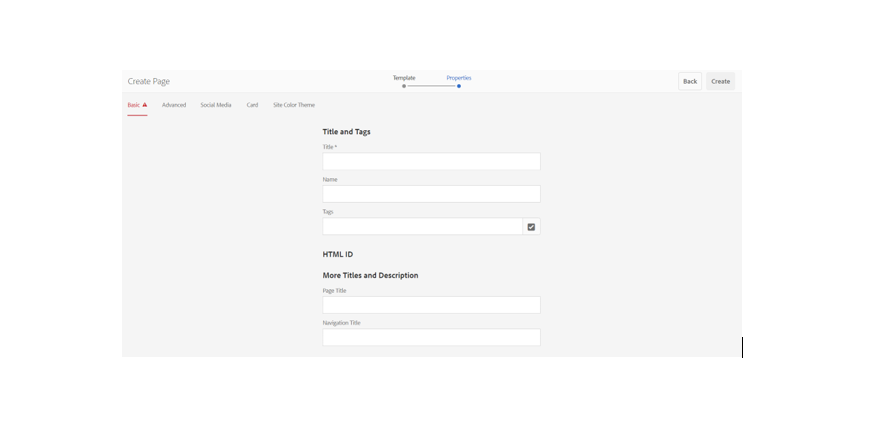
Step 3: Give the title and name for the page you want to create and click Create.

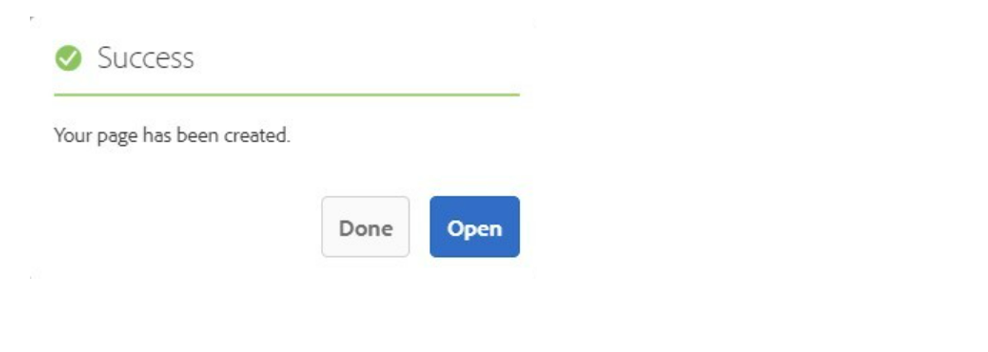
Step 4: You will receive a message popup stating “Your page has been created." You can either click Done to create further pages or click Open to start editing the page.