To create tags:
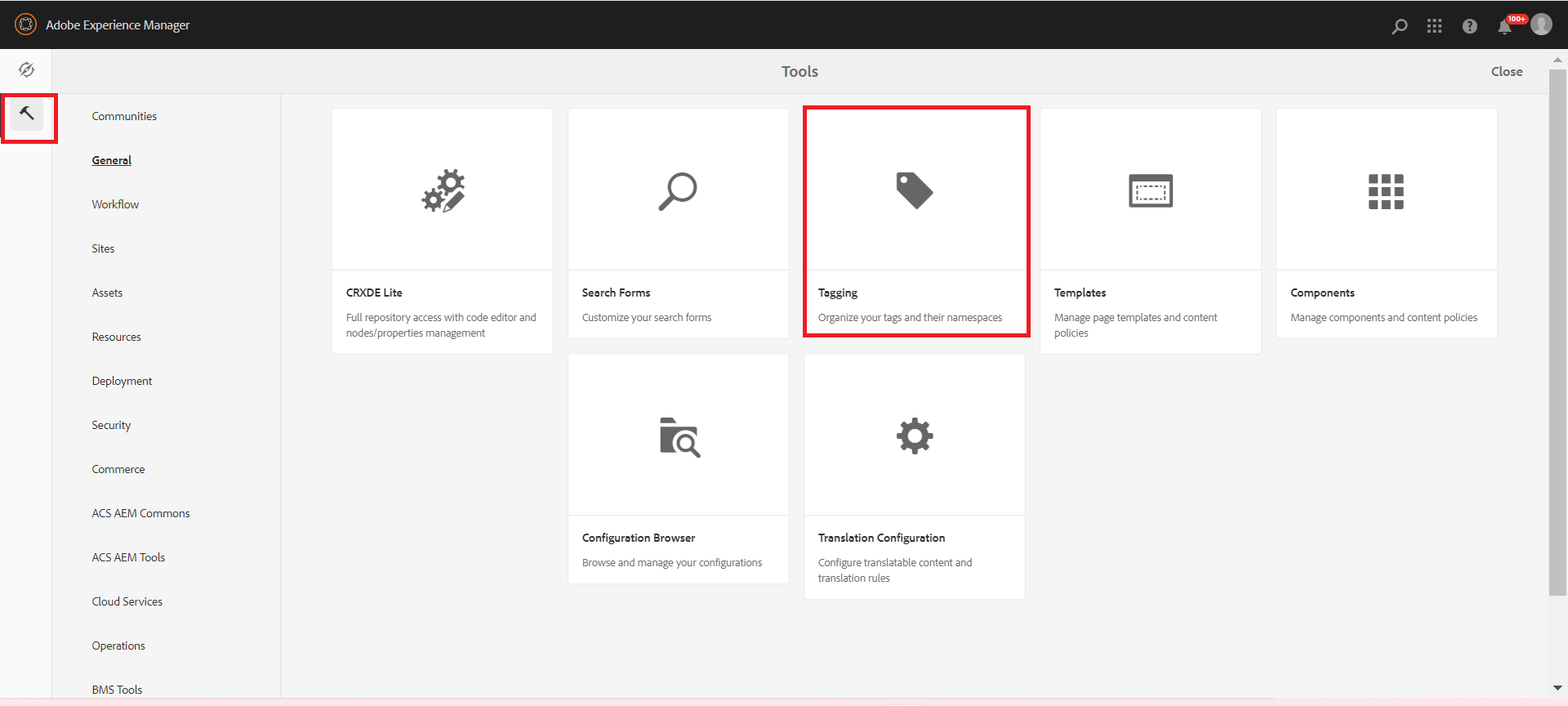
Step 1: Click on Tools and select Tagging option, as highlighted in the image below.

Managing and Creating Tags





Tags are a quick and easy method of classifying content within a website. Tags may be thought of as keywords or labels that can be attached to a page, an asset, or other content to enable searches to find that content and related content.
To create tags:
Step 1: Click on Tools and select Tagging option, as highlighted in the image below.
Step 2: Select the node under which you need to create tags, click on Create button, and select Create Tag.

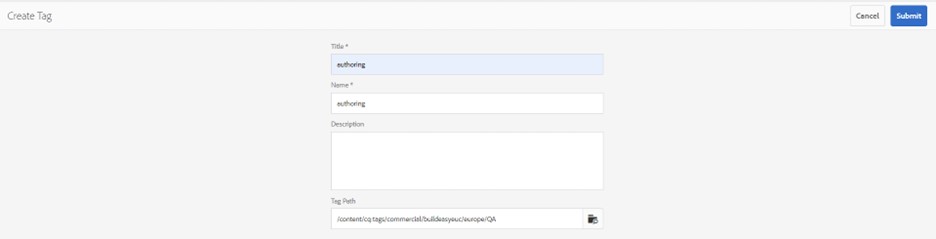
Step 3: You will get an option to add Title, Name, and Description for the tag, add the details, and click Submit.
After submitting, your tag will be visible and can be used on the pages.