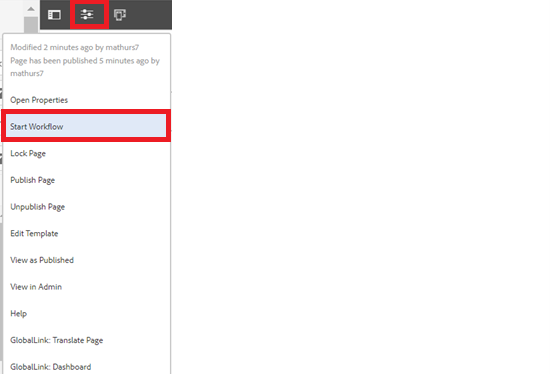
We can alter properties of pages created with the BuildEasy general template by using two methods:
- While creating a page
- By navigating to properties section of the page created

General Template - Page Properties





We can alter properties of pages created with the BuildEasy general template by using two methods:
Method 1
Step 1: While creating a page, click on the card tab (as shown in below image) and add the required properties to the page.


Authoring Fields
| Field name | Description |
| Standard Card | |
| Card Image | This is a path authoring field to author the image path from dam. |
| Card Title | This is a text authoring field to author the card title text. |
| Aria Label | This is a text authoring field to author the aria label text. |
| Protected Card | |
| Card Image | This is a path authoring field to author the image path from dam. |
| Card Title | This is a text authoring field to author the card title text. |
| Aria Label | This is a text authoring field to author the aria label text. |
Method 2
Step 1: Click on the page for which you want to modify or set page properties and then click on Properties option.

Card
Step 2: Click on the Card tab (as shown in below image) to alter or modify card properties.

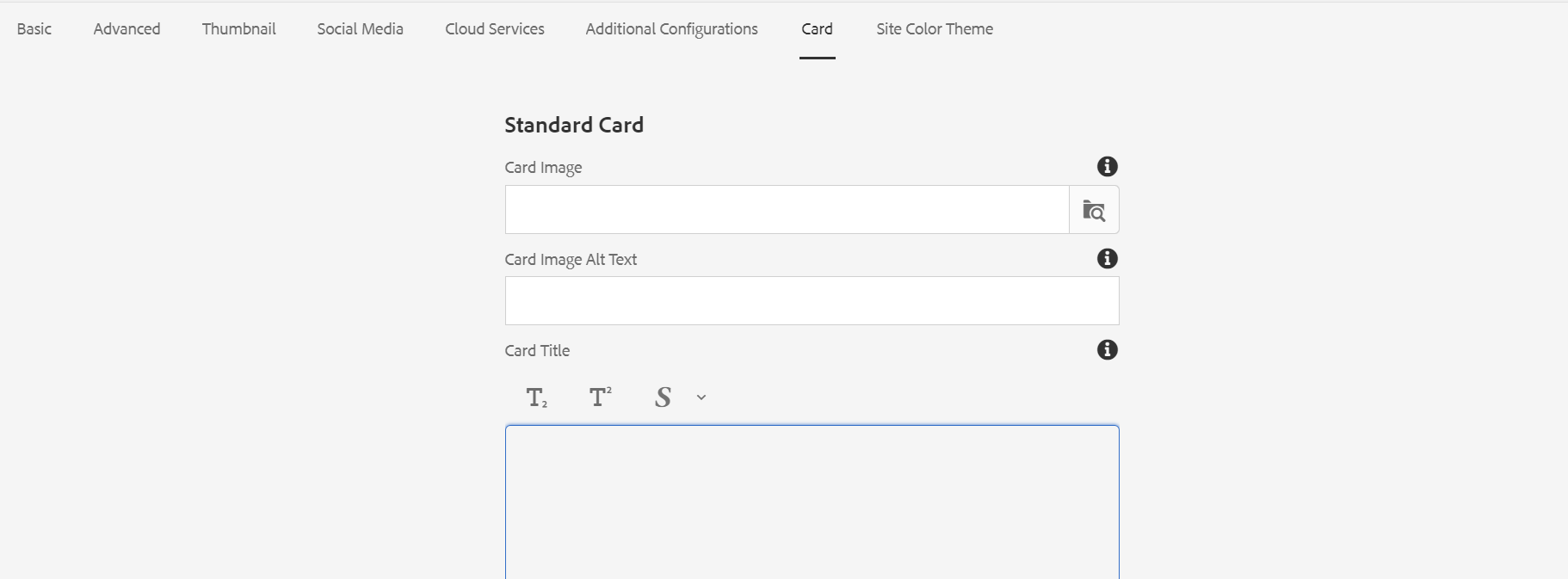


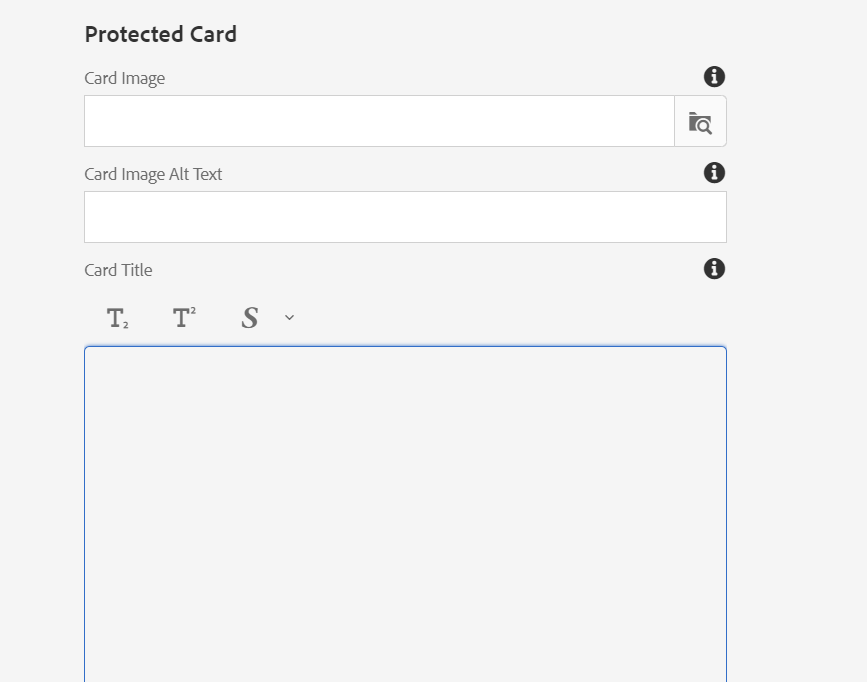
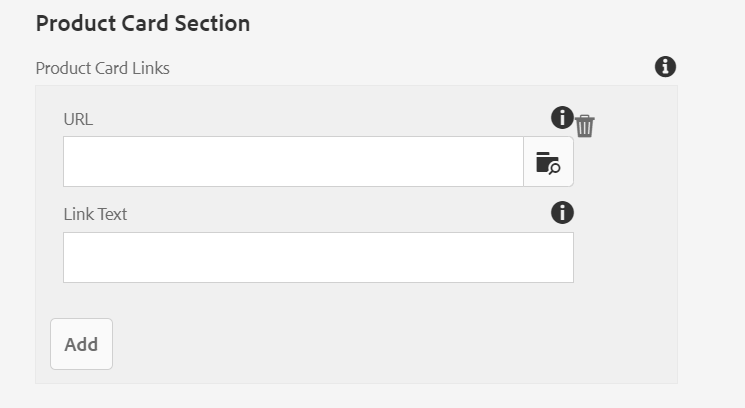
Authoring Fields
| Field name | Description |
| Standard Card | |
| Card Image | This is a path authoring field to author the image path from dam. |
| Card Image Alt Text | This is a text authoring field to author the alternative text for card image. |
| Card Title | This is a text authoring richtext field to author the card title text.(subscript superscript footnotes are allowed) |
| Card Text | This is a text authoring richtext field to author the card text.(subscript superscript footnotes are allowed) |
| Card Link Title | This is a path authoring field to author the card link. |
| Aria Label | This is a text authoring field to author the aria label text. |
| Protected Card | |
| Card Image | This is a path authoring field to author the image path from dam. |
| Card Image Alt Text | This is a text authoring field to author the card image alternative text. |
| Card Title | This is a text authoring richtext field to author the card title text.(subscript superscript footnotes are allowed) |
| Card Text | This is a text authoring richtext field to author the card text.(subscript superscript footnotes are allowed) |
| Card Link Tittle | This is a path authoring field to author the card link. |
| Aria Label | This is a text authoring field to author the aria label text. |
| Product Card Section | |
| Url | This is a path authoring field to author the url text |
| Link Text | This is a text authoring field to author the link text. |
Site Color Theme
Author can choose one of four variations from a dropdown menu, including scope1, scope2, brand1, and brand2, to select the color theme for the page. The selected color theme will then be applied to the page.
When selecting a color theme from the dropdown menu, it's important to note that the color options within each category (scope1, scope2, brand1, brand2) will be applied based on the locale page authoring.
Step 3: Author the fields as per the requirement and click on save and close.
Step 4: Publish the page for changes to be reflected on the page.
Additional Configurations
Step 3: Click on the Additional Configurations tab (as shown in below image) to alter or modify Feature Switches

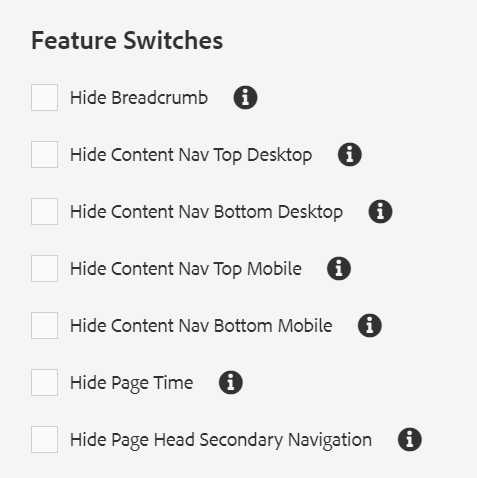
Authoring Fields
| Field name | Description |
| Meta Keywords | Keywords for search engine optimization can be authored here. |
| Meta Tags | Tags for search engine optimization can be authored here. |
| Disable Entry Modal | This is a checkbox field, if enabled site entry popup will not be displayed for the perticular page. |
| Feature Switches | |
| Hide Breadcrumb | This is a checkbox field to disable breadcrumb form the page |
| Hide Content Nav Top Desktop | This is a checkbox field to disable top content navigation form the page |
| Hide Content Nav Bottom Desktop | This is a checkbox field to disable bottom content navigation form the page |
| Hide Content Nav Top Mobile | This is a checkbox field to disable top content navigation form the page (Mobile view) |
| Hide Content Nav Bottom Mobile | This is a checkbox field to disable bottom content navigation form the page(Mobile View) |
| Hide Page Time | This is a checkbox field to disable page read time form the page |
| Hide Page Head Secondary Navigation | This is a checkbox field to disable page head Secondary navigation form the page |
BuildEasy Site Settings
Click on the Build Easy Site Settings tab (as shown in below image) to alter or modify.


Authoring Fields
| Field name | Description |
| Content Navigation | |
| Content Navigation Headline | If Content authored in the field, content navigation headline rendered from loacle properties will be overridden |
| Close Button Label | Place holder text field to author close button label for language specific word. |
| Back To Top Button Label | Place holder text field to author Back to top button label for language specific word. |
| Header Logo Configurations | |
| Override Header Logo | TO override header logo image rendering from locale, author override Image (Note:Image authored in the page property will take precedence over component rendering from locale) |
| Override Header Alt Text | TO override header Alt text rendering from locale, author override header Alt text (Note:Alt text authored in the page property will take precedence over component rendering from locale) |
| Over ride Header Link | TO override header Link rendering from locale, author override header Link (Note:Path authored in the page property will take precedence over component rendering from locale) |
| Over ride Header Path | TO override Header rendering from locale, author override path field (Note:Path authored in the page will take precedence over locale properties.) |
| Top Navigation Configuration | |
| Hide Top Navigation | This is a checkbox field to disable top navigation form the page |
| Override Top Navigation Path | TO override top navigation rendering from locale, author override path field (Note:Path authored in the page will take precedence over locale properties.) |
| Global Navigation Configuration | |
| Hide Global Utility Nav | This is a checkbox field to disable Gloabl utility navigation form the page |
| Override Global Nav Path | TO override Global navigation rendering from locale, author override path field (Note:Path authored in the page will take precedence over locale properties.) |
| ISI COnfigurations | |
| Hide ISI | This is a checkbox field to disable ISI form the page |
| Override ISI Path | TO override ISI rendering from locale, author override path field (Note:Path authored in the page will take precedence over locale properties.) |
| Footer Configuration | |
| Override Footer path | TO override Footer rendering from locale, author override footer path field (Note:Path authored in the page will take precedence over locale properties.) |